We can all agree that this is a weird time…
This post was sponsored by Poply, all opinions are my own.
Such a weird time. But, the perfect way to make the best of a situation – Hosting a ‘Virtual’ Dinner Party! We tested this out last week with two of our best friends and it turned out to be so much fun! I set the table for Jeremy and I with our iPad on the other side of the table – our friends did the same. We called each other around 6:30pm while we were both finishing cooking dinner (Jeremy and I grilled fillets!) then “sat down” together to eat! It was such a fun way to still have dinner with our friends while also following the social distancing rules. I love this idea though for future dinner parties to host with friends that live far away. Just because there is distance, doesn’t mean you still can’t share hosting a dinner party with friends!
The Invitations:
To set up you virtual dinner party, first and foremost you need to send a proper invite! In todays world you can easily have a dinner party “online”, it only makes sense to send the invite online as well. Poply has the perfect array of invitations to send virtually. I especially love their dinner party invitations! All the Poply invitations can be customized with your details or photos to fit your specific event. This makes for such a fun touch to invite your friends or loved ones to this virtual party. I also like that the links to online meet-up sites are clickable so it’s easy to join the party without hunting around for a URL.

Poply has tons of invitations to send out online which also makes for the perfect solution for any events you may have to reschedule these next few months. Instead of sending out another paper invitation, send out a beautiful Poply invitation regarding the new details of your event.
Download their app HERE (for iPhone), HERE (for Android).
Set the Scene:
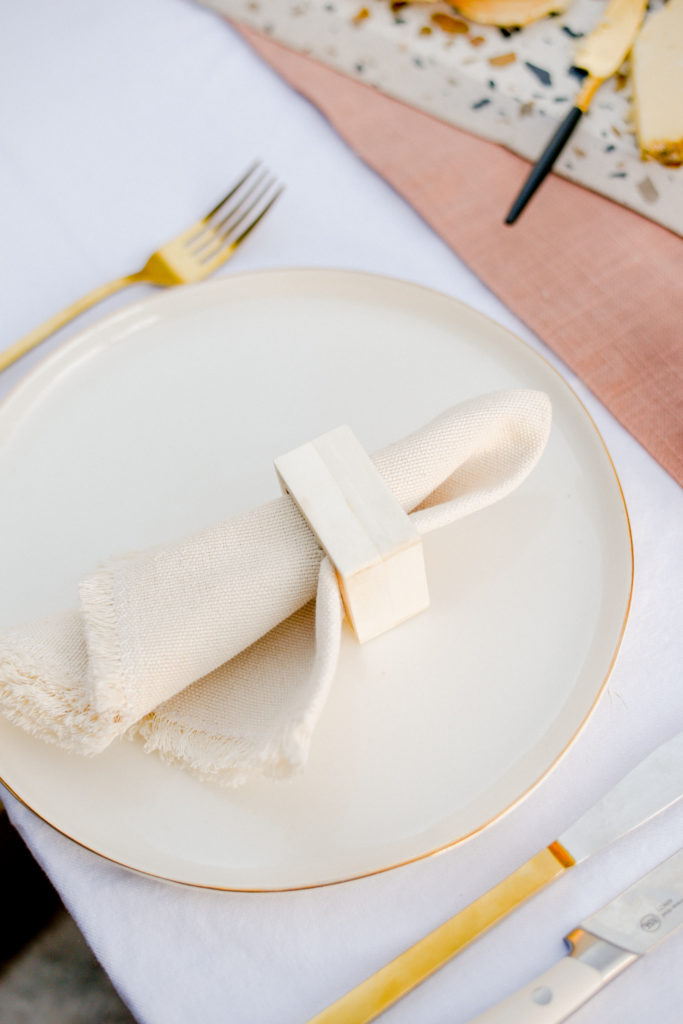
Set up your side of the dinner party with pretty, simple little details such as flowers (dried ones work great too!), a table runner and your favorite place setting. Just because your guests aren’t there doesn’t mean you can’t hold back on setting a pretty table setting. It’s something they can still see and makes the ‘virtual’ dinner party feel just as special! Set your setting on one side of the table and put your laptop or iPad on the other side so your friends/loved ones can see you and it feels like they are sitting on the other side of the table. We used FaceTime, but there are so many amazing apps out there to use as well such as Zoom or Google Hangouts.


On the Menu:
For this dinner party we hosted we each made different dishes – Jeremy grilled us fillets to go with a Caesar salad and our friends made a delicious looking cauliflower dish. We set out a simple cheese and cracker spread to munch on while Jeremy grilled! It was fun to have separate meals to talk about what we each made. However, a great detail to this virtual dinner party would be to make the same meal! Especially if you start your FaceTime cooking together. It makes for another special added detail to spending time together virtually. Then, when you sit down to eat you can talk about how delicious the meal is knowing it’s the same. Get the same bottle of wine or choice of booze so you are enjoying the same thing. Don’t feel like cooking? Get the same takeout!




After Dinner:
This whole evening should feel just the same as if your guests were at your home with you. So, after your meal is finished hold off on cleaning up until you’re finished with the call – just the same as you would wait until your guests left your home. This way you are able to spend every moment with them! We took our “virtual guests” to our couch to enjoy dessert and finish drinking wine together. Another fun addition to this evening is playing an after dinner game together! Whether it’s one you plan on your device or setting up the same game virtually – there are tons of fun ways to make the best out of virtually seeing each other.







Leave a Reply